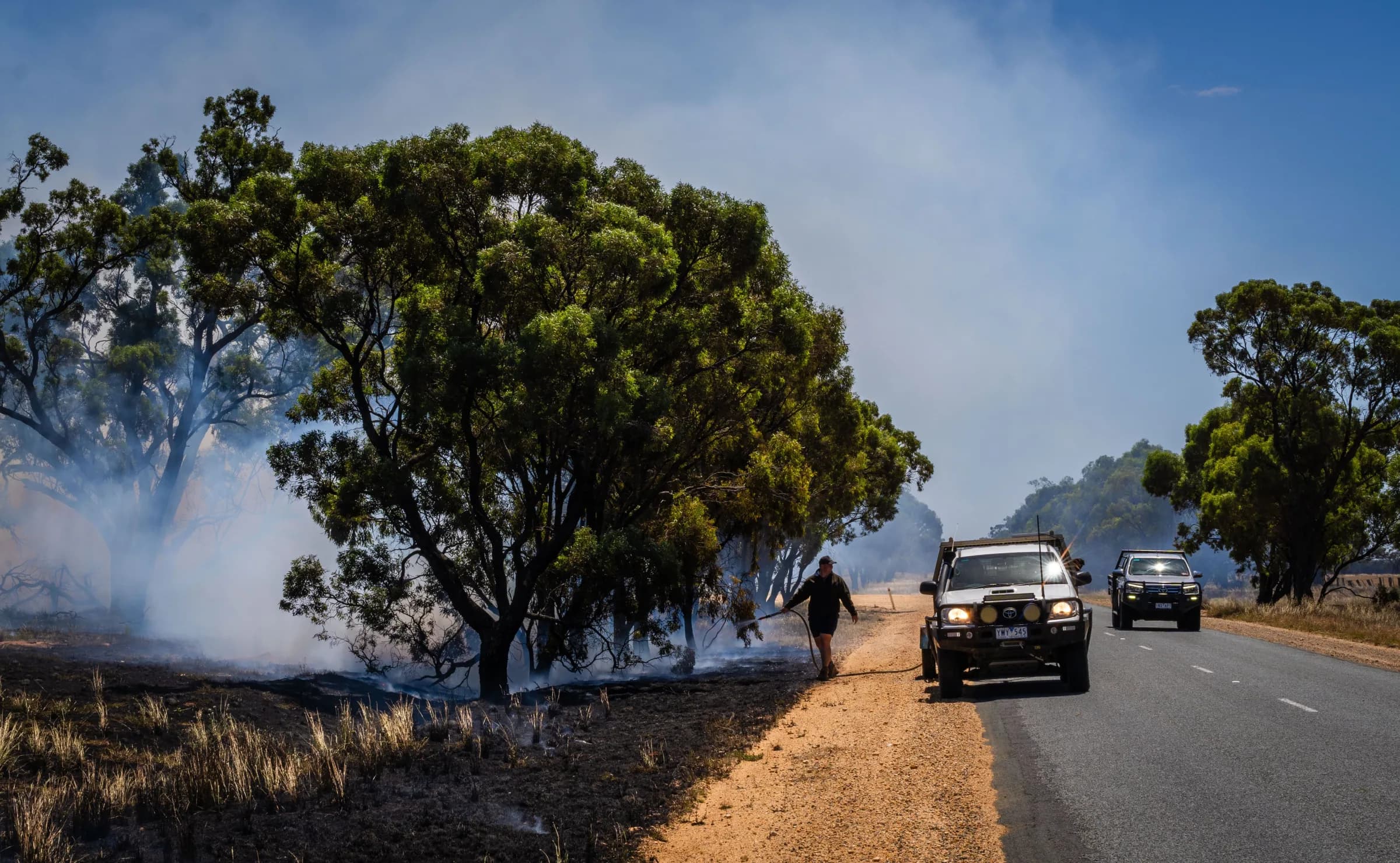
Know you have the people and skills you need
See where coverage is secure and where you need help, while giving members a clear view of their next duty and a way to manage availability.

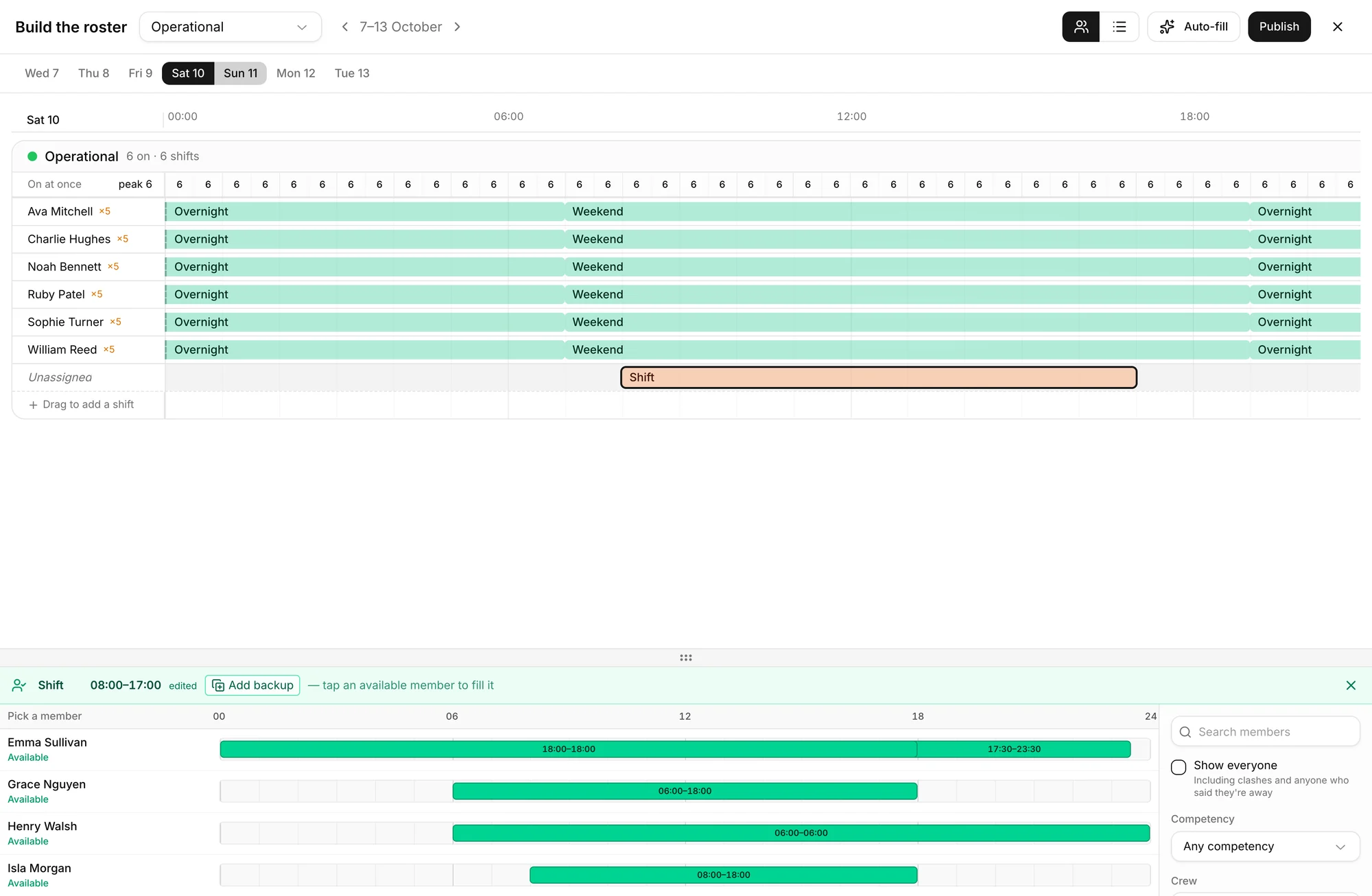
Find gaps while there is time to fill them
Open the roster builder on any day, this week or months ahead, and see who is on, who is available and where the count drops below what you need.
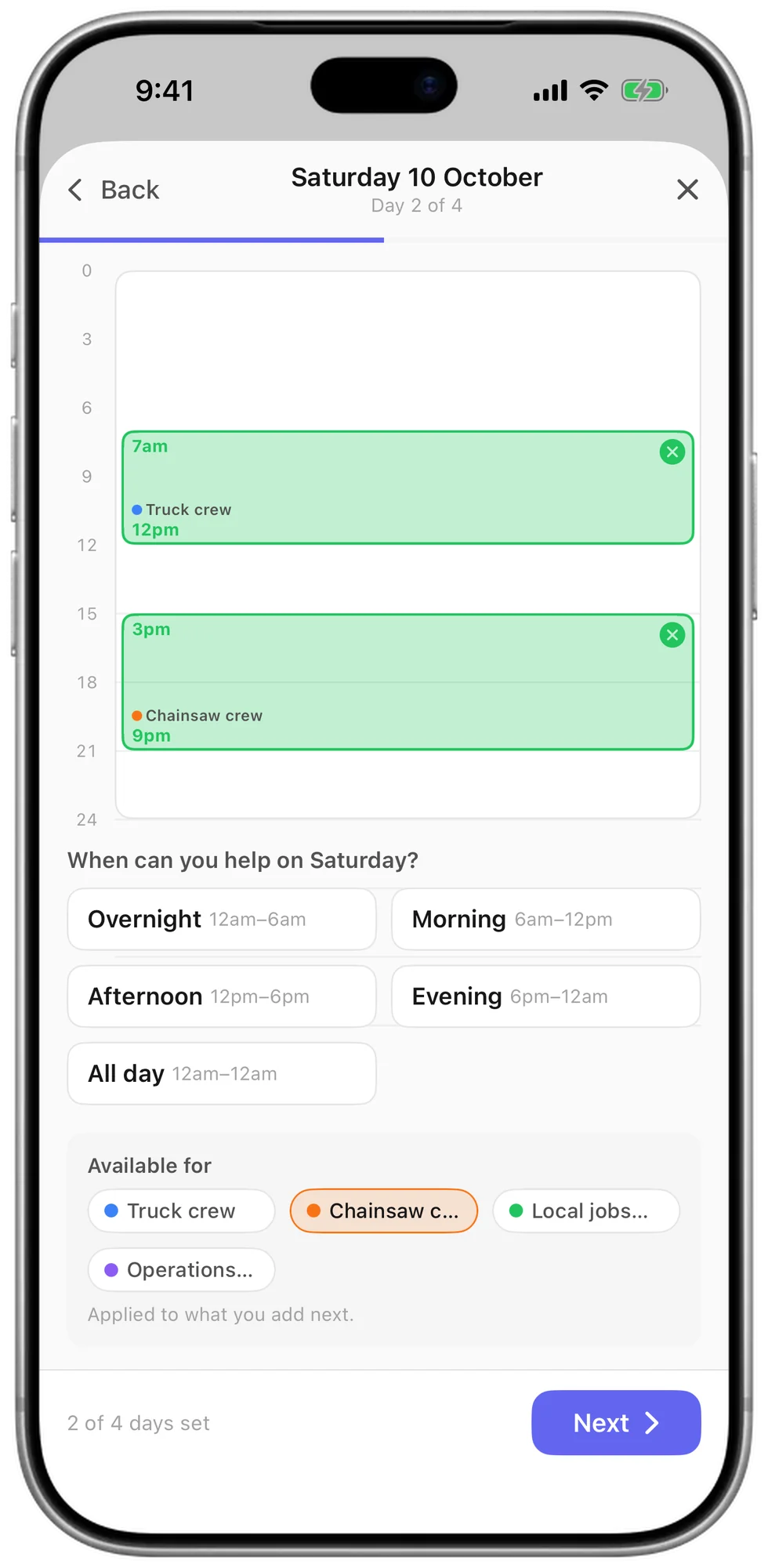
Collect availability your members will actually give you
Most availability tools come back half filled in, which makes cover look worse than it is. Here a week takes seconds to set, so people answer and you see the full picture.
Drag across the hours you are free
Each day is a bar. Drag to set your hours, add a second block for a split day, and move on.
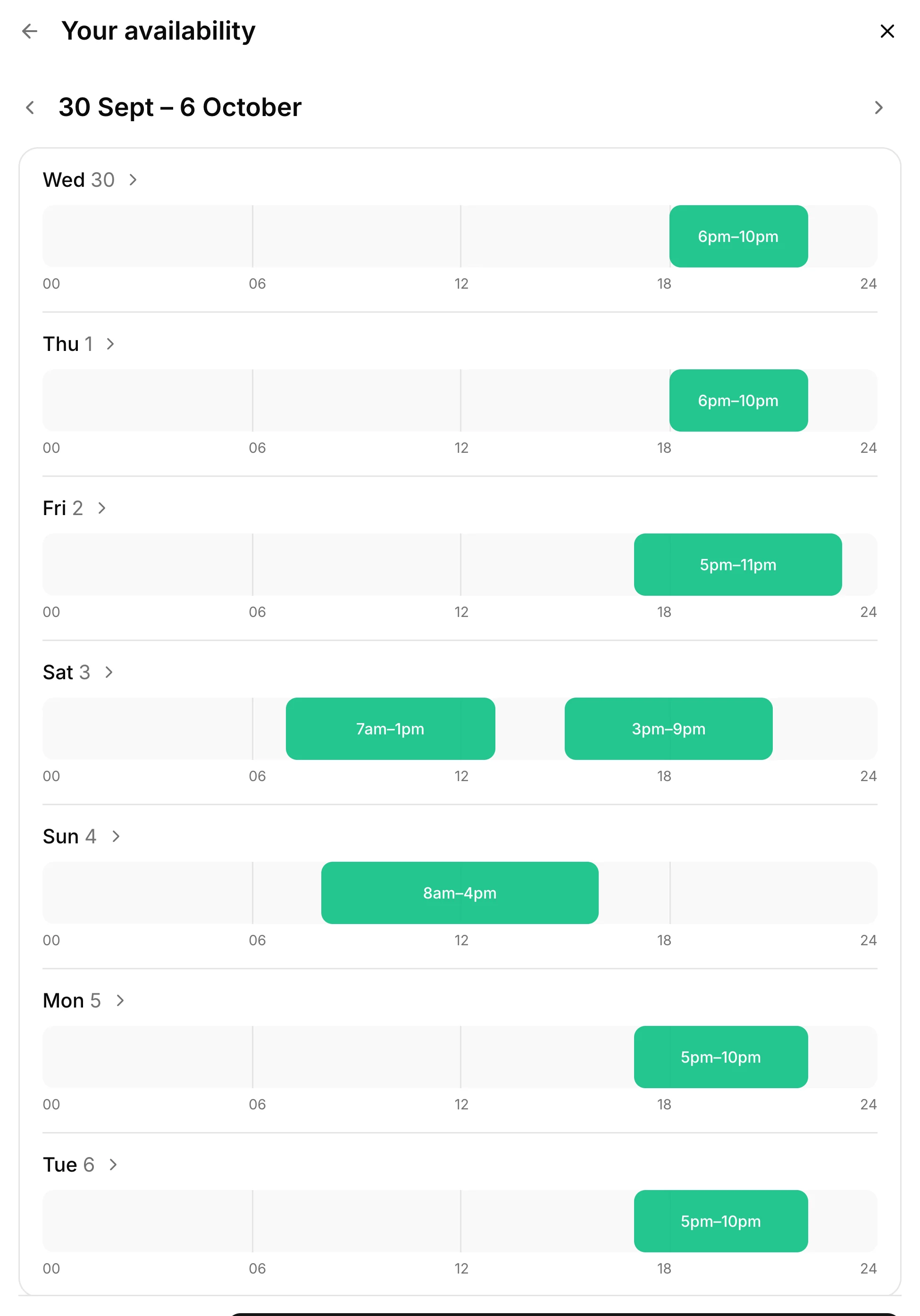
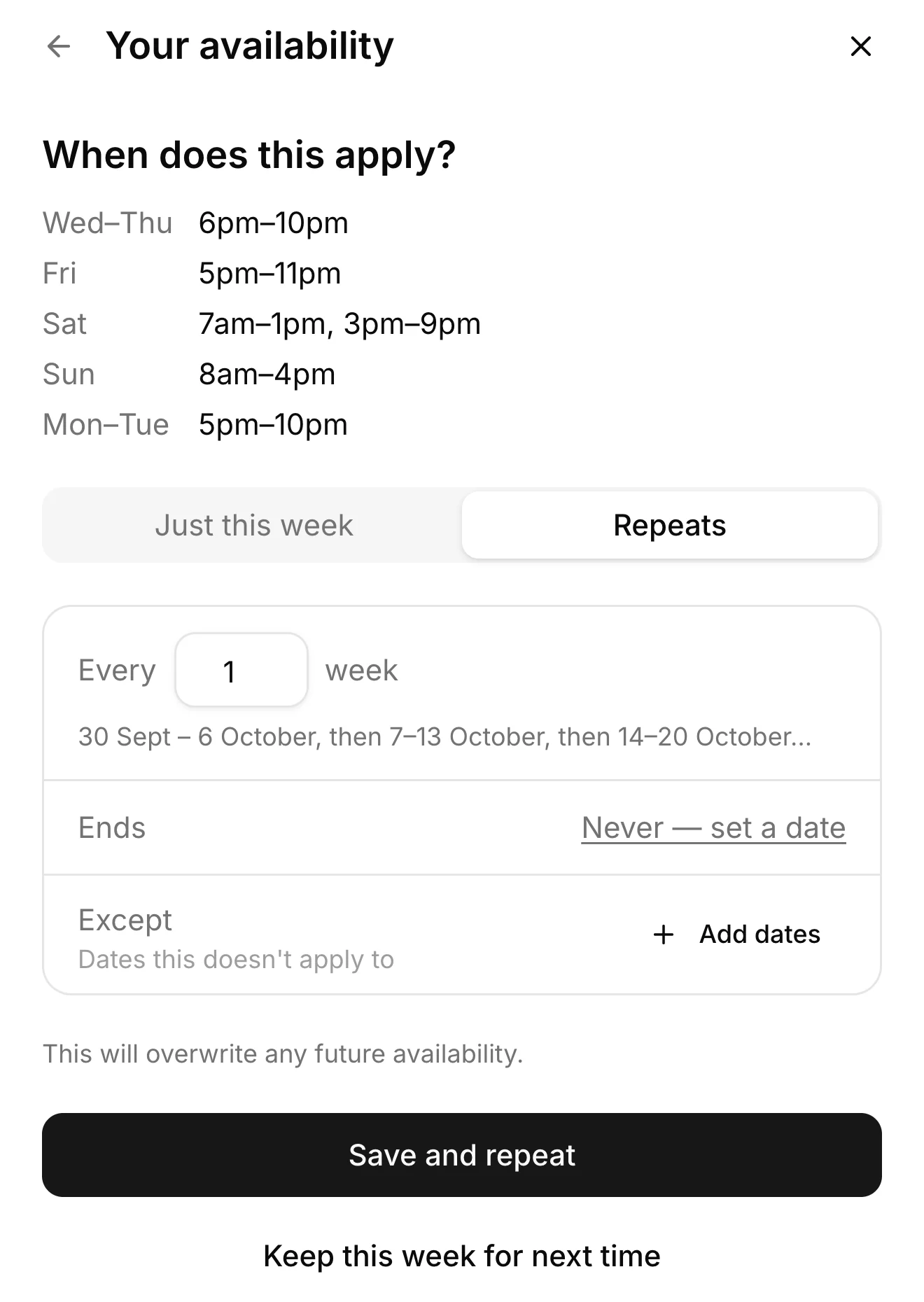
Set it once and let it repeat
Save your usual week and repeat it every week, or every two, three or four, with an end date and exceptions for the dates that differ.
Ask for more when you need it
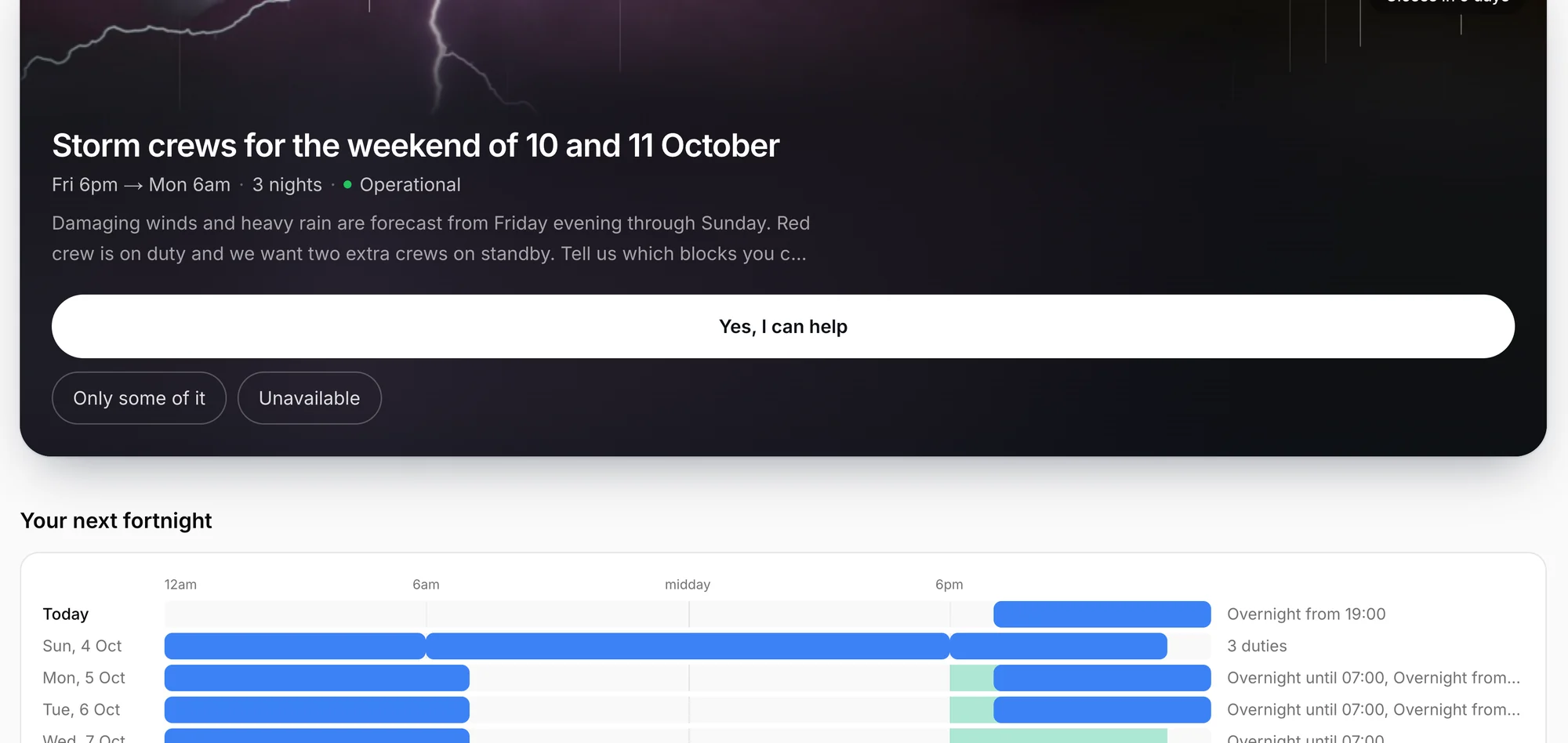
Ask once and bring the answers together
Members can confirm full, partial or no availability from a request, saving you the work of piecing together separate replies.
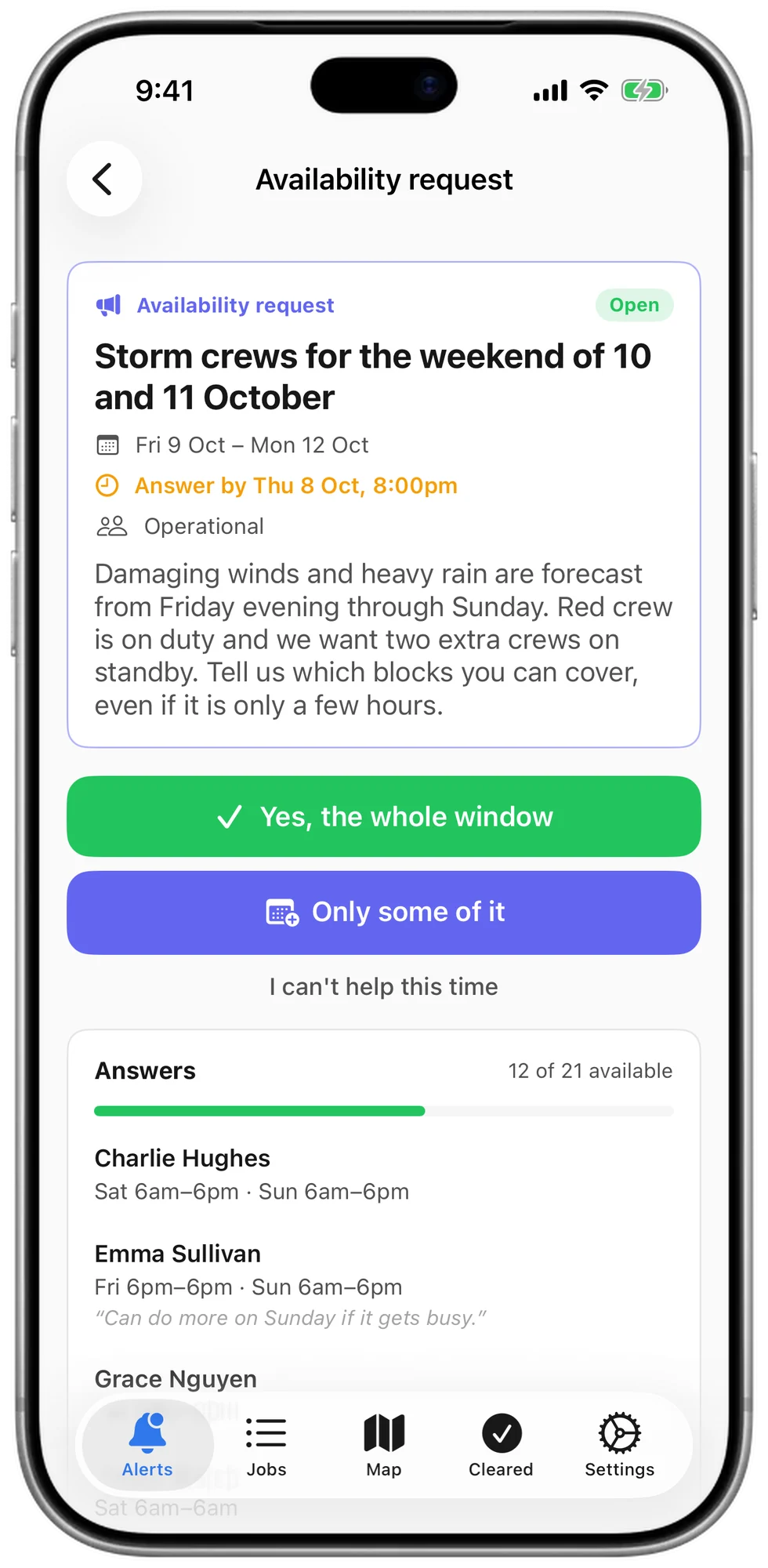
The same request arrives in the app
It appears in Vantage MDT alongside incident alerts, so members answer on their phone and you can see who has replied.
Arrange cover without the phone calls
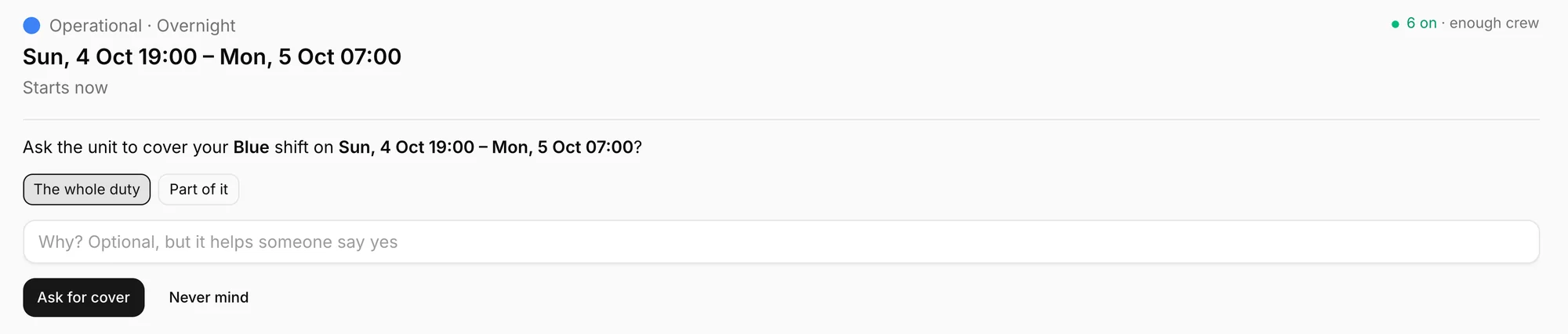
A member who cannot make a duty asks for cover in the app, and the roster looks after the rest.
Ask for all of a duty or part of it
The request goes to the members who could take it, with a reason if you want to give one.
Accepted cover moves by itself
When someone takes it, the duty moves to their roster and into the calendar on their iPhone or Android phone.
Only qualified members can cover
Set rules from the skills and qualifications in your training records, so a crew leader is covered by a crew leader.
Approval where you want it
Choose whether cover goes through by itself or waits for a coordinator to approve it.
Work the way your people volunteer
Rotating crews, named duties or availability alone, with a different approach for each roster if you need one.
Crews taking turns
Green crew this week, blue crew next.
Named duties
Put a member on each duty, for a duty officer or another on-call role.
Availability alone
No roster to build. Collect availability as often as you need and scan the week ahead for the times nobody has covered.
Check the skills as well as the numbers
Set requirements using your competencies so coverage reflects the roles you need, not just the number of people listed.
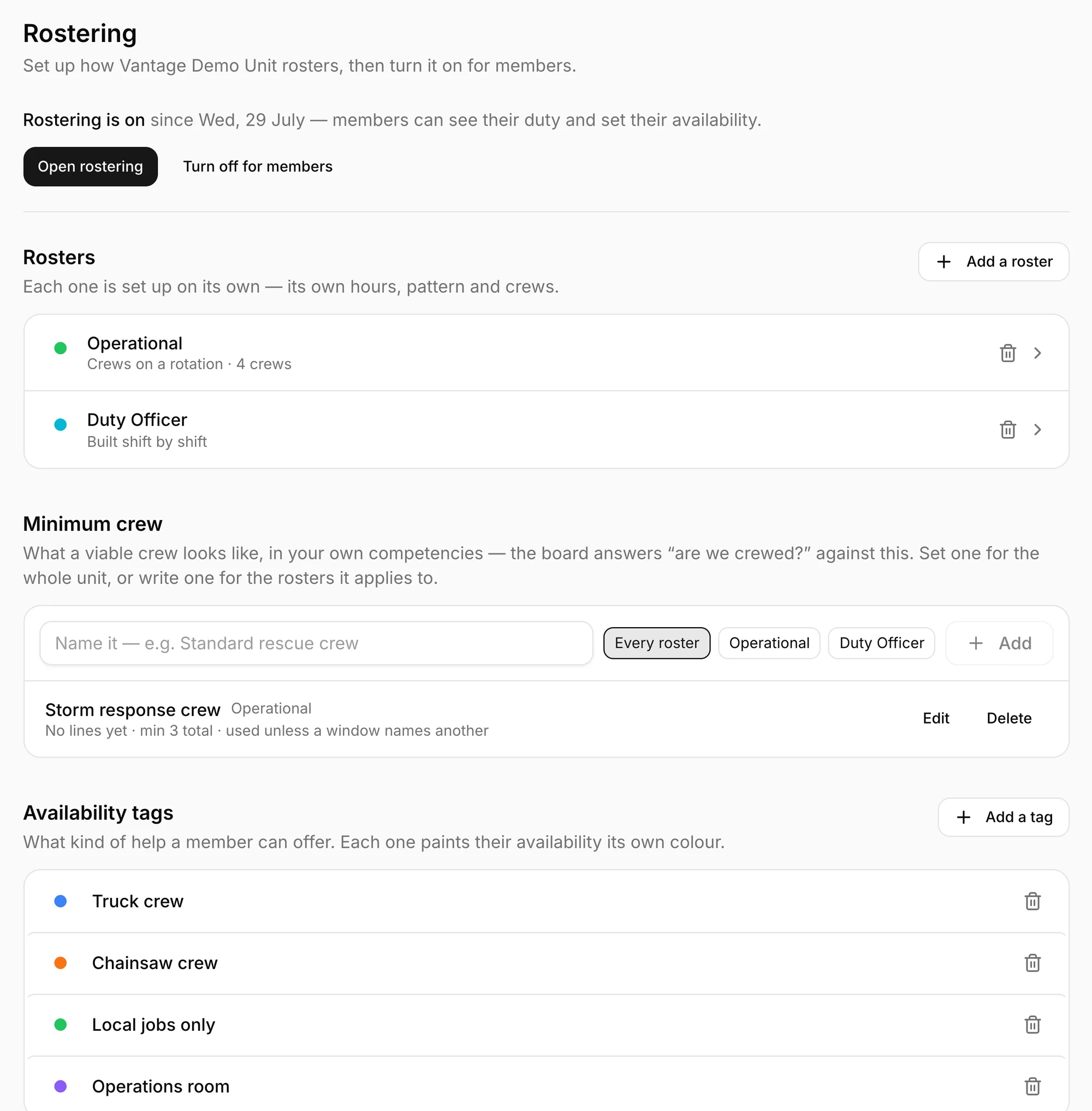
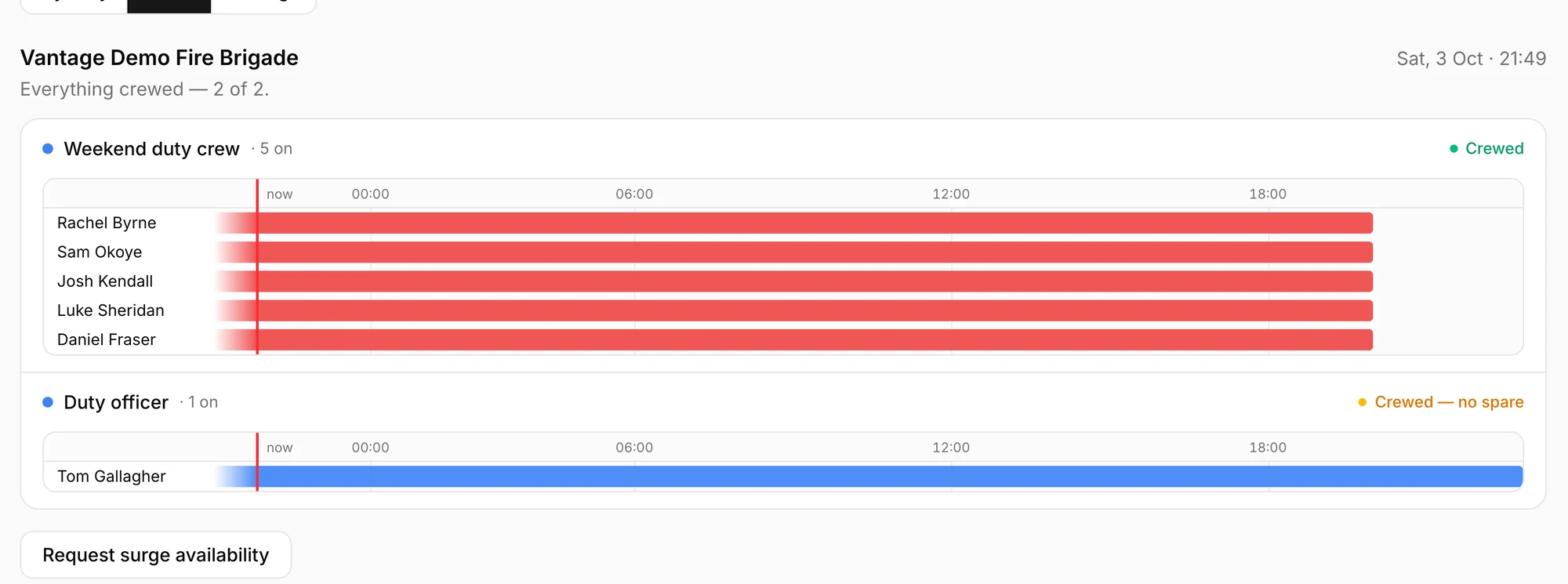
Know where cover is fragile
See when a roster meets its minimum but has no spare capacity, helping you prepare for a last-minute change.
Questions
Can a member swap out of a duty?
Yes. They open the duty and ask for cover, for the whole duty or the part they cannot make. When a qualified member accepts, the duty moves to that member's roster and calendar, with a coordinator's approval first if you require it.
Does the operations room see the roster?
Yes. Vantage Incident Control shows who is on now, who is about to finish and who is rostered but away.
Do members see it on their phones?
Yes. Their own duty, their availability and any open request.
Is rostering on for every organisation?
It is switched on for each organisation, and a coordinator sets the rosters up once.